Vital Features for CPA Networks
A CPA network sends a lead to an advertiser — but what happens to it next?
Was it processed? Why was it canceled? Did the order reach delivery? How many call attempts were made?
With SalesRender, a CPA network can do more than just send leads and receive their statuses. It can also monitor the quality of lead processing by the advertiser.
This article covers some less obvious features that help CPA networks monitor lead processing — and that they may not even know about!
Information about cancellation or spam reasons 
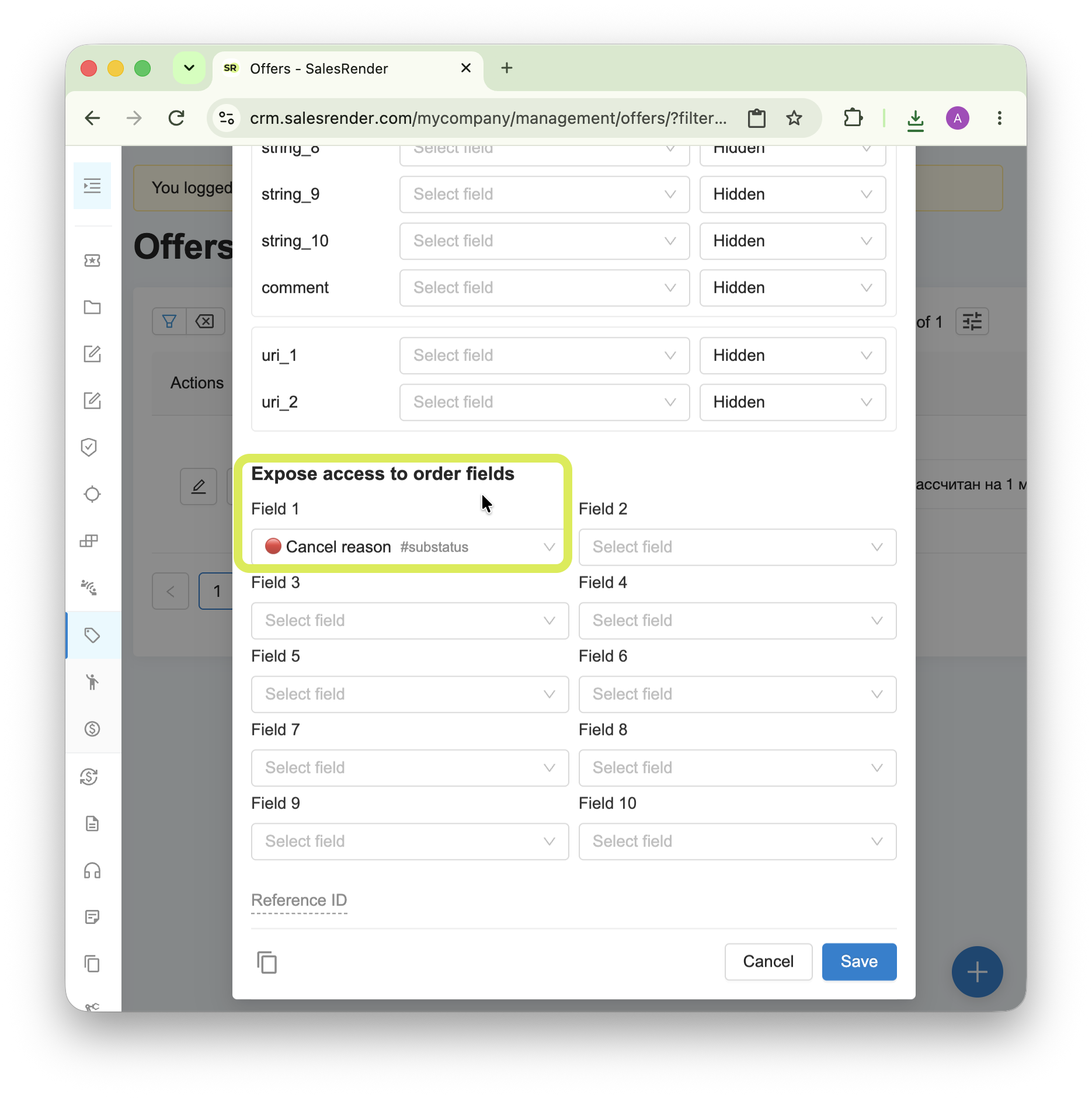
Advertisers often specify a reason when canceling or marking a lead as spam. This helps them keep their call center scripts up to date and develop better ways to handle objections.
Advertisers can share information about cancellation or spam reasons with CPA networks, allowing them to identify the most common reasons for cancellations or spam and make adjustments to their advertising materials accordingly.
Here is where you can enable it:
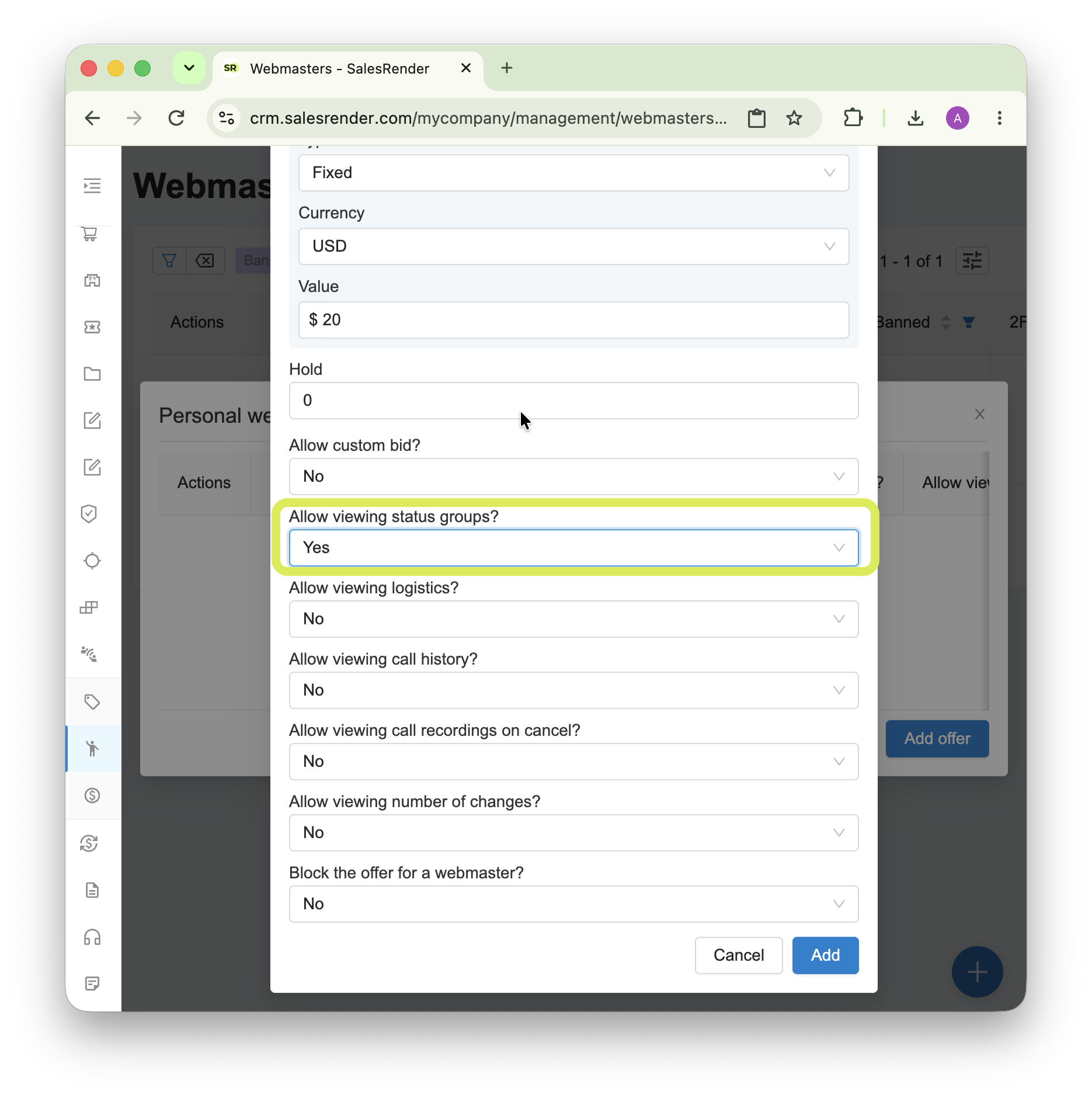
Receiving order status groups 
SalesRender has several terms related to "status" with similar meanings. Let's take a look at each one:
Lead status. There are only 3: processing, approved, canceled. These refer specifically to the reward status for the lead — in other words, whether the CPA network will receive a reward for this lead to its balance or not. This parameter is available to the CPA network by default.
Order status. This is a status from the funnel created by the advertiser, with any number of statuses and any names. The name may contain confidential information, for example, "Sent via CDEK", so these statuses cannot be obtained through any additional options.
Order status group. This is a fixed list of 9 groups that serve as parent groups for statuses. For example, the statuses "Sent via DHL" and "Sent via India Post" can both belong to the "In transit" group. Status groups can be shared with the CPA network. If the option to share status groups is disabled, the CPA network can still receive at least the basic minimum by default: the "Spam" and "Double" groups.
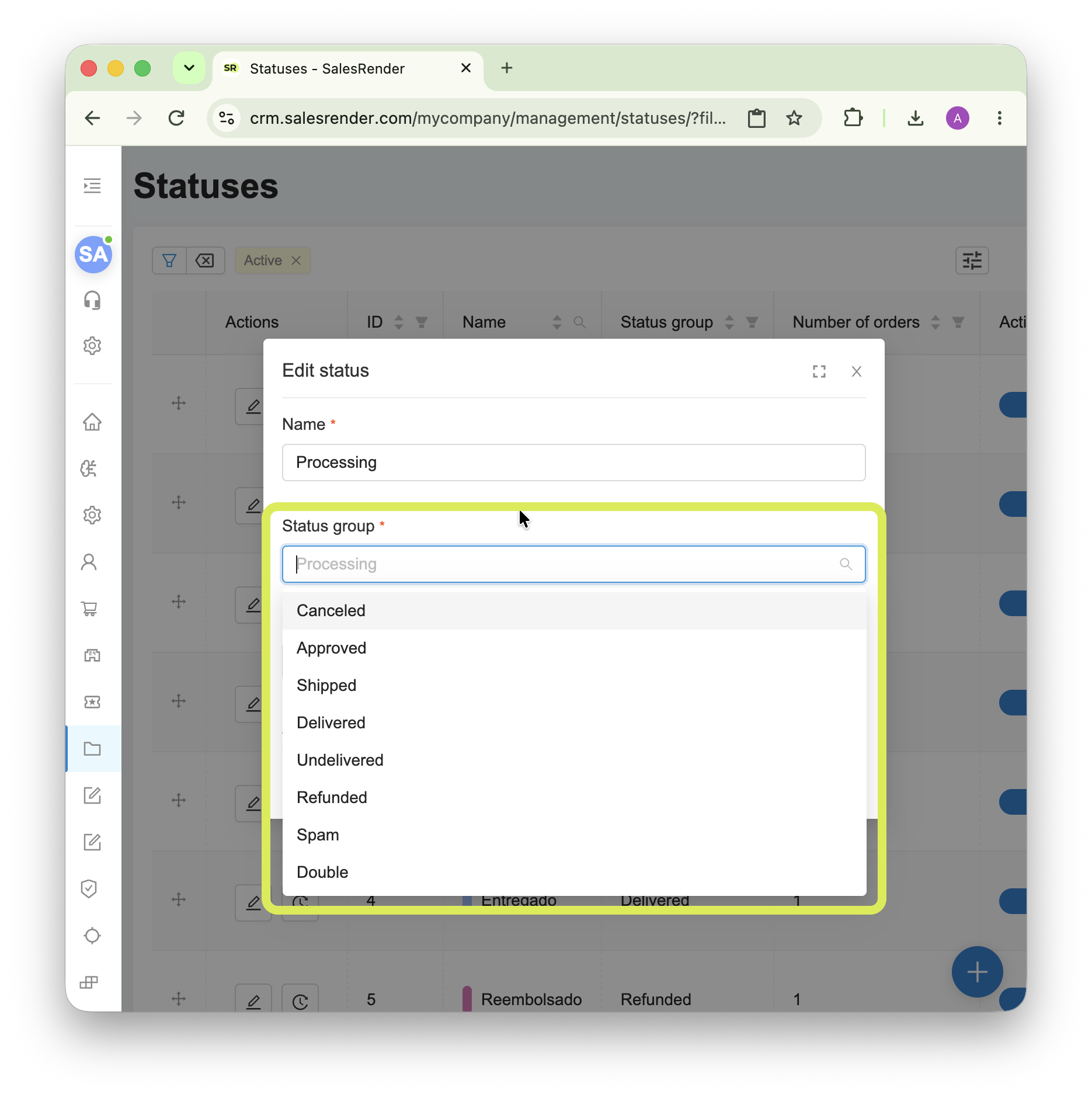
This information is mainly needed to evaluate the advertiser's buyout and return rates, allowing the CPA network to further optimize its traffic.
You can enable the option here:
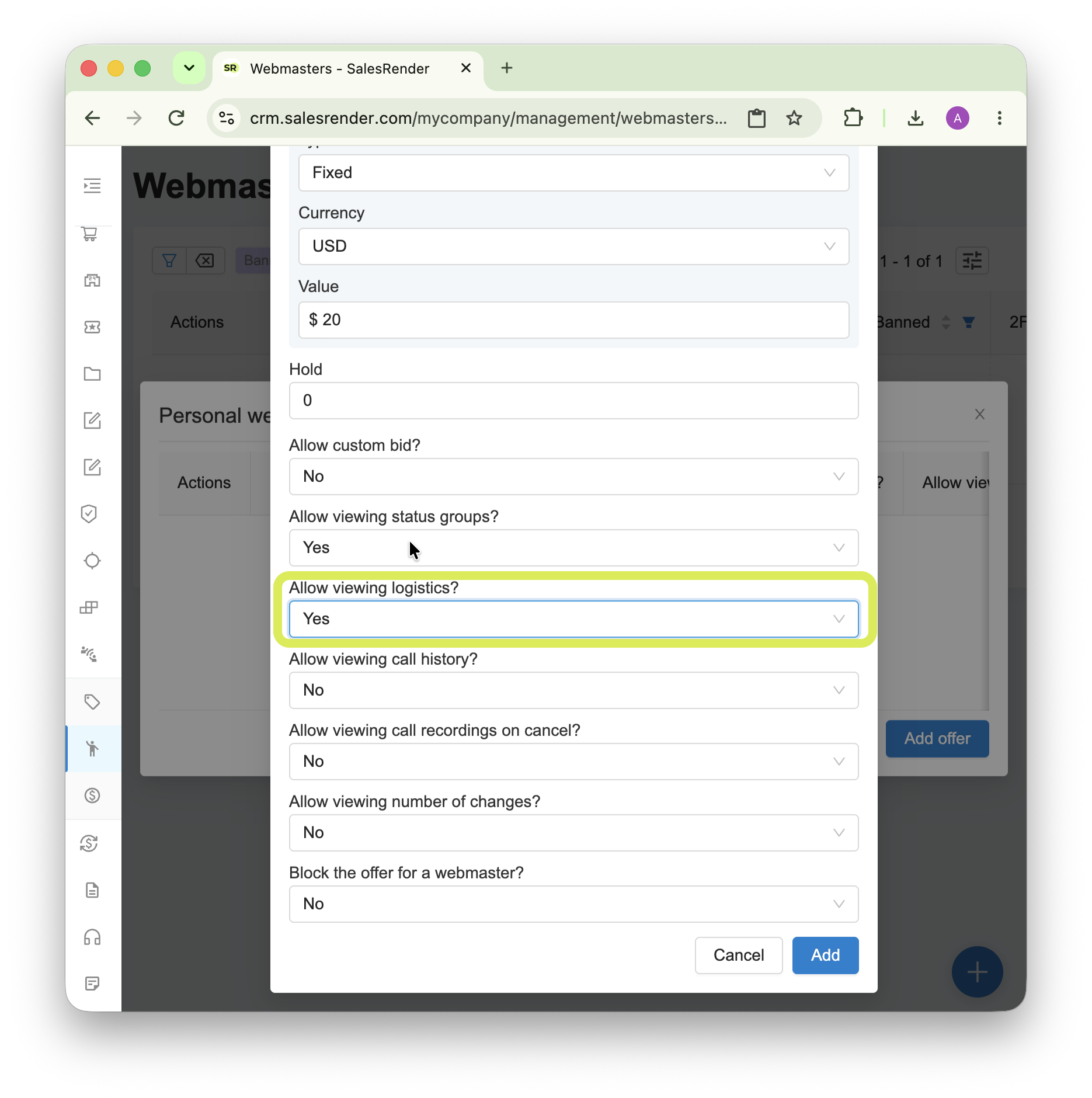
Receiving logistics information 
This option is rarely used because once enabled, the CPA network will see the tracking number for each order, as well as delivery information from both SalesRender and the courier service itself. This provides a deeper level of access and is more related to the advertiser's further processes than to traffic processing.
Nevertheless, in some business models where the CPA network is more than just a lead generator, this option can be enabled.
It can be enabled here:
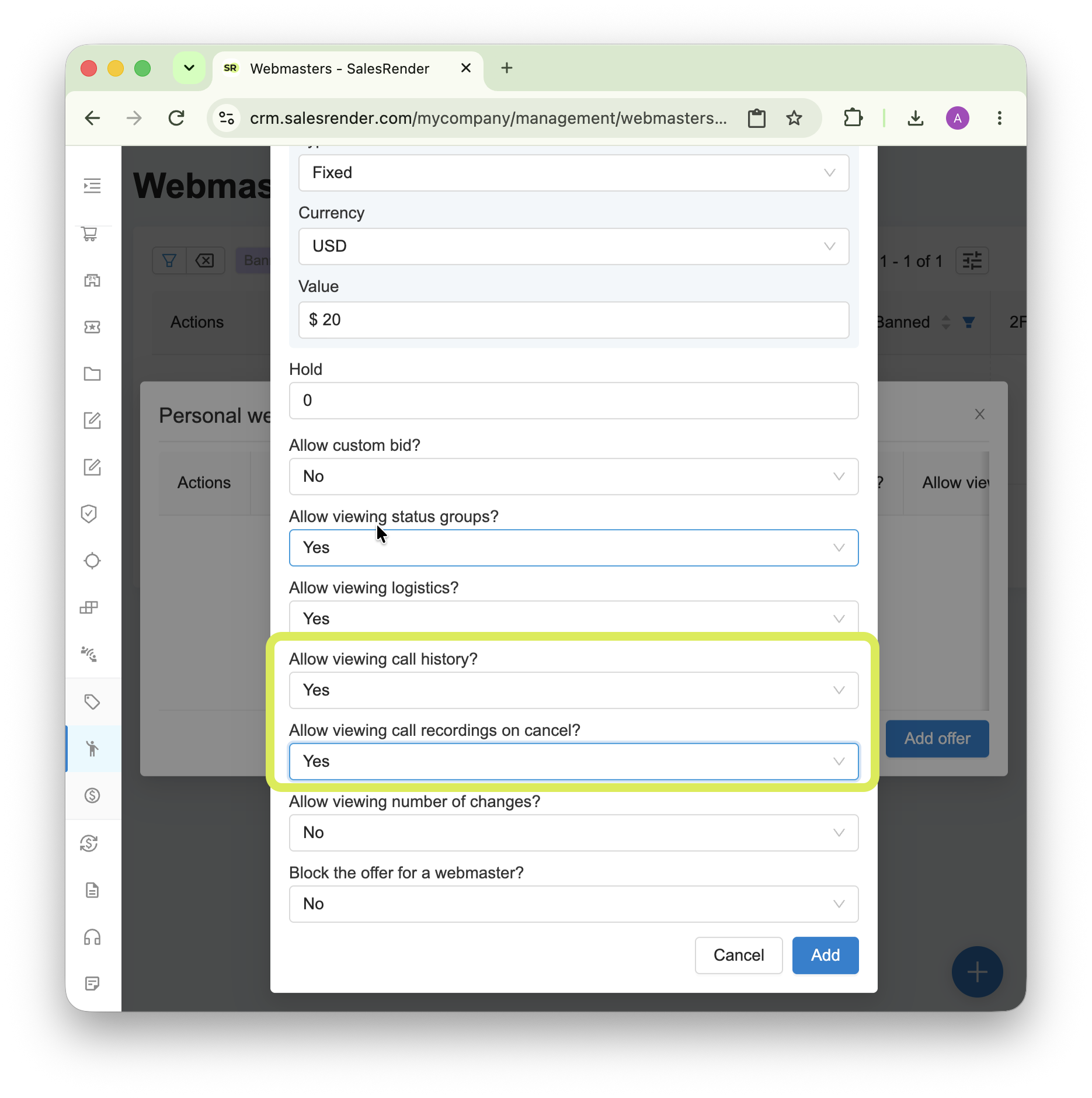
Receiving call history and call recordings 
When this option is enabled, the CPA network gets complete information about how leads are being called. This provides full transparency into the advertiser's work and minimizes possible shaving.
The following information is available:
call time
ringing duration
talk duration
SIP and hangup completion codes (technical data)
Important: call recordings are available only when the lead status is "canceled".
It can be enabled here:
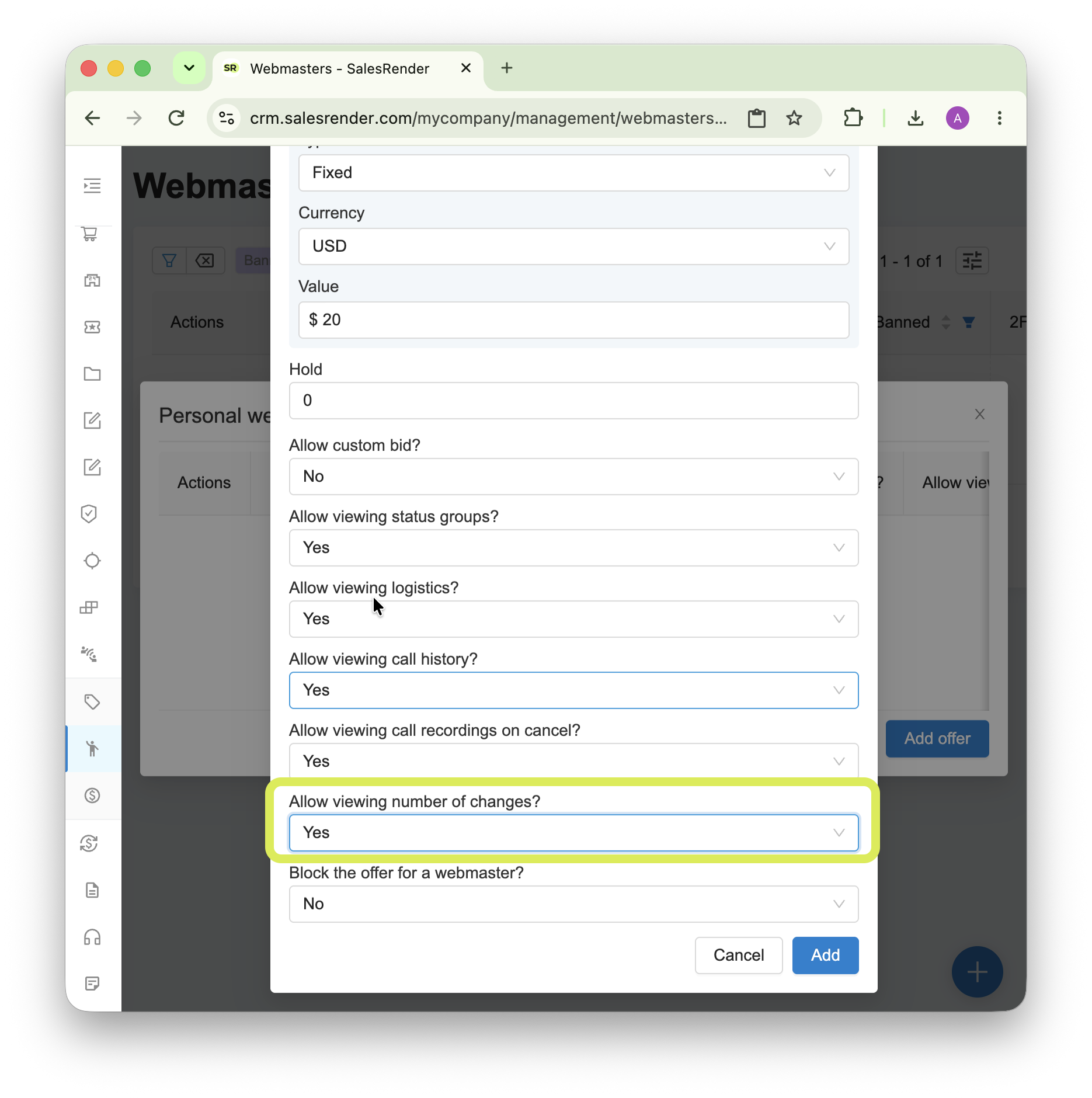
Receiving the number of changes 
A change is any action performed on an order. It is important not to confuse this with a call. For example, if an agent was unable to reach a customer and added a comment about it to the order, this will count as a "change", but it does not mean that a call actually took place.
This information indirectly helps CPA networks understand that the lead processing process has started.
It can be enabled here:
What else do we offer for CPA networks 
Webhooks for receiving lead statuses and webhook logs
Individual offer rates, even if the advertiser has a different default rate
Setting a rate as a percentage of the initial or final cart price
A custom rate as an individual bump, if the CPA network was able to obtain it from one of its external webmasters
Passing information about an external webmaster (a webmaster within the CPA network). This allows the CPA network to protect its traffic flow in case of a low buyout rate and disable not the entire traffic source, but only a specific webmaster
Passing information about an external order ID (the ID within the CPA network) for easier interaction
Passing information about the URI and tags for subsequent traffic filtering in case of problems, instead of stopping the entire traffic flow
Our affiliate program 
For every advertiser you refer to us, we pay generous affiliate commissions: 20% lifetime commission on every payment.
Learn more here

Advertisers get plenty of benefits too 
Ready-made integrations with any CPA network
The ability to work with multiple CPA networks simultaneously, so they cannot see each other's leads
Hold settings to minimize errors that could lead to premature payouts
Support for parameters such as external webmaster and tags, so you can filter CPA network traffic
Statistics with different groupings by CPA networks and their external webmasters
Subscribe to our Telegram channel to stay up to date.
Have questions? Contact our CEO Anna directly.
Thank you for being with us