


New Features in Our CRM System
Dear customers!
We continue to delight you with our updates! Below is what’s new in the system 
 Sorting values for "List" type fields
Sometimes finding the right item in a list is harder than finding the second matching sock after laundry. We decided to save you from this quest! Now, in the settings of "List" type fields, you can change the sorting of values. In the video, we show how to do it in just a couple of clicks 
 Keeping filters organized
And to prevent your screen from turning into an endless scroll, we’ve added the ability to collapse applied filters.
The collapse button will appear automatically as soon as there are too many filters 
 ️ We’ve added call mode logs!
You can already view them in the list of call centers.
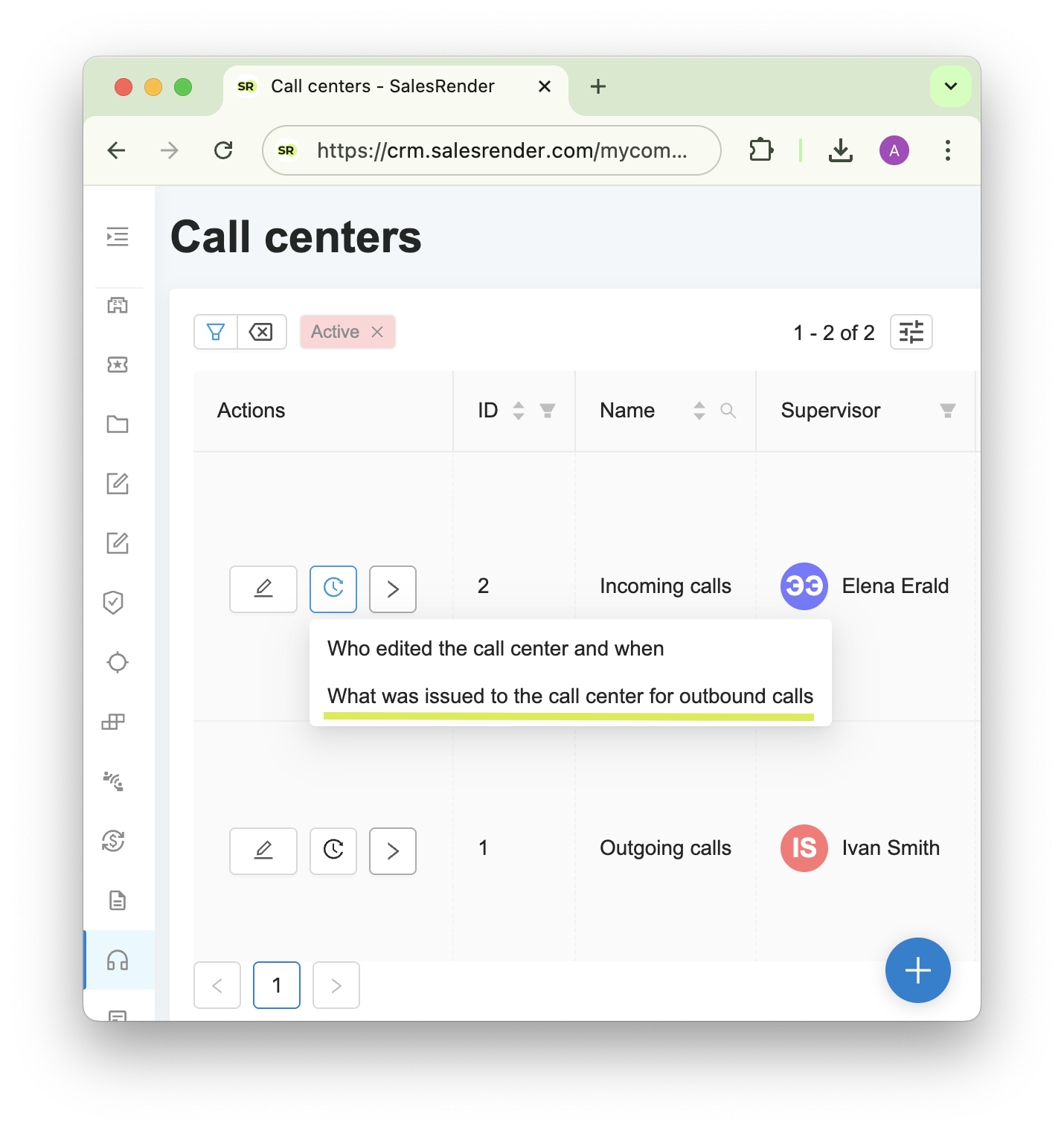
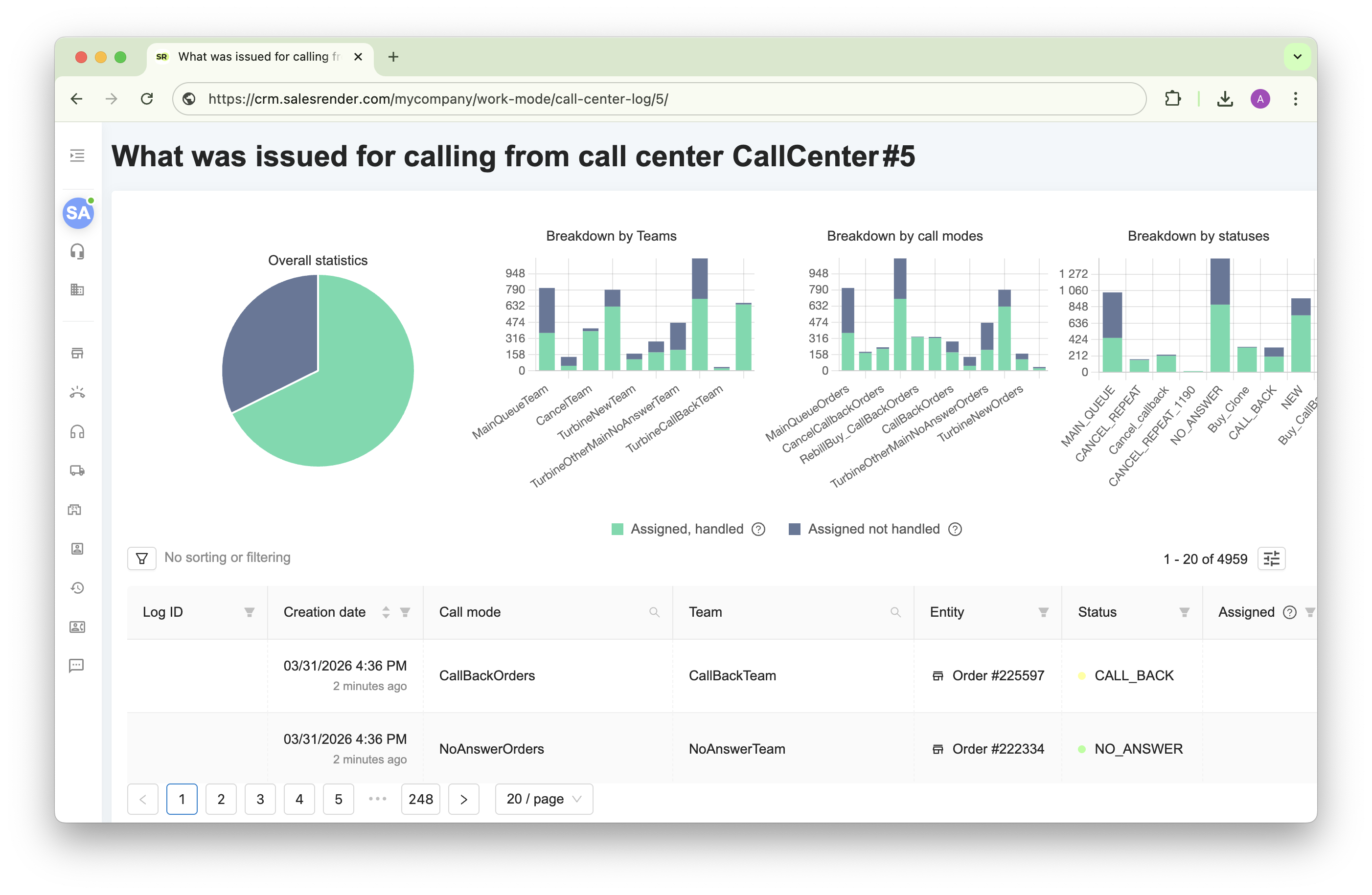
In the new section you will find:
- Visual charts. They help you assess the overall performance: how many orders have been processed and how many remain unattended
- A logs table. It allows you to track the exact journey of an order: when, to whom, and from which mode it was assigned, as well as what changed in it
The logs even show attempts when an order was not assigned. You will immediately see the reason: whether there were no orders left in the mode, or they were blocked/assigned to another user.
 ️ Ability to download telephony dumps
As part of preparing for predictive dialing, we significantly upgraded the foundation of our telephony. One of the results of this work is the ability to capture and analyze SIP dumps directly in the call history!
How it works:
 When capturing a dump, the neural network automatically analyzes technical logs, finds the root cause, and provides recommendations on what to pay attention to
- If your telephony provider requests dumps, you can simply download the file in the required format and send it
Important: Access to SIP dumps is configured separately in roles. By default, they are hidden from users who do not have access to phone numbers in the history
 Small but important updates
Added new groupings in conversion statistics: by webmasters and offers, by "List" type field. For example, data can be grouped by the "Gender" or "Cancellation Reason" field to see order distribution.
Now in the recommended time settings, it is no longer required to fill in everything at once. You can set the timer only for calls or only for order processing
Sales scripts can now be configured individually for a specific project, offer, product, role, or even a specific operator!
Subscribe to our Telegram channel to stay up to date.
Have questions? Contact our CEO Anna directly.
Thank you for being with us