

Useful Updates in November
Dear customers!
After a month of hard work, we’re back to tell you what’s new in SalesRender!
 Page takeover: transfer editing rights directly in the interface
Sometimes you need to make changes to an order, but it’s already open with another user. Previously, you had to message them, wait for a reply, and lose time. Now you can send a page takeover request directly in the system!
 How does it work?
A page takeover request button has been added to locked orders. Click it to send a request and, if needed, add a comment.
The user currently editing the order will see a pop-up notification with a sound alert, where they can either transfer access or reject the request.
 Аutomatic page transfer!
If the user has stepped away from their computer and doesn’t respond to the request within 30 seconds, the system will automatically transfer editing rights to you. They will still see information about who took over the page and when.
 The request won’t be missed!
- If the user is in the CRM but on another page, the notification will still appear on the active page.
- If your colleague has switched to another browser tab, the CRM tab will start flashing to attract their attention.
 Where is it available?
Page takeover works for all system entities: orders, items, user settings, call center parameters, and more.
 Along with takeover, we’ve added two more useful improvements
 Viewing locked orders
Previously, when you tried to open an order card that was already in use, you only saw a banner indicating who had locked the order. Now you can open a locked order to view the data you need.
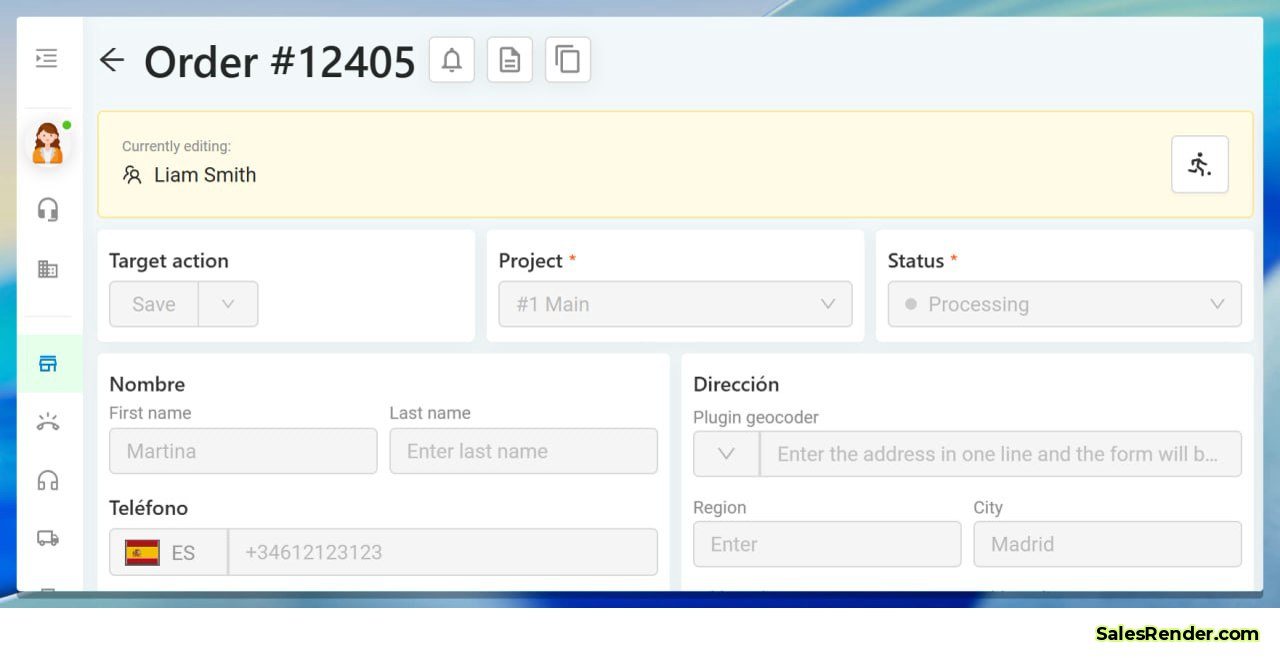
 Protection against duplicate tabs
You can no longer open the same page in multiple tabs at the same time. This helps prevent situations where accidental changes in a neighboring tab overwrite up-to-date data.
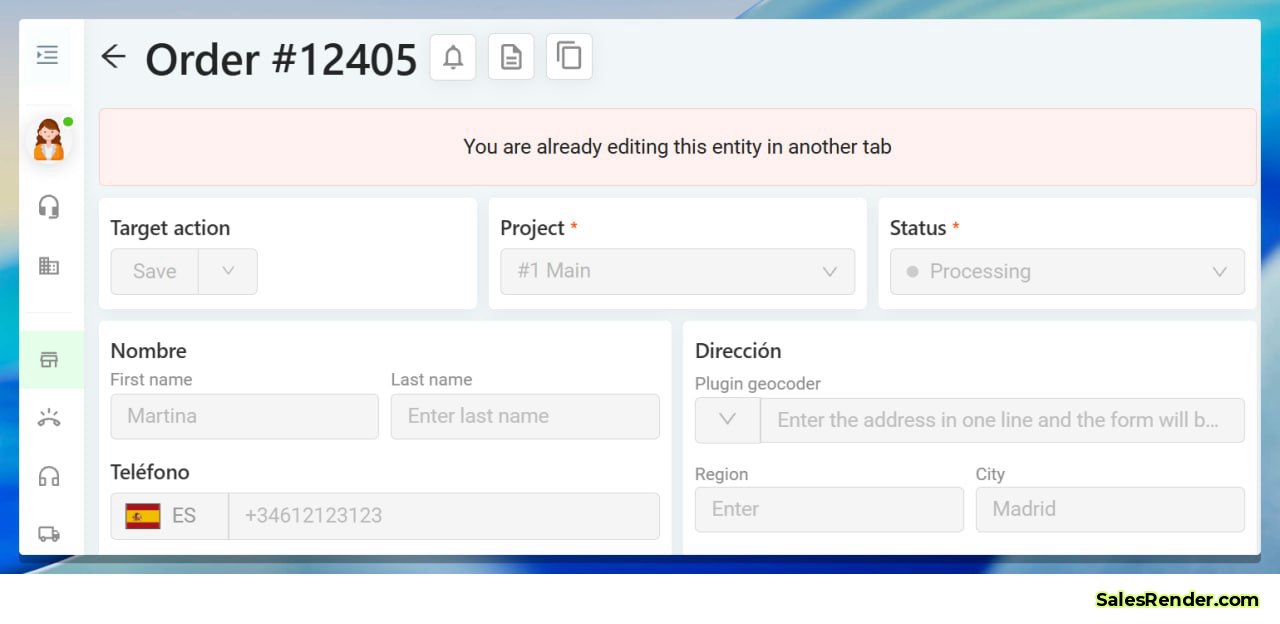
 Comfortable work with role restrictions
Recommended restrictions
Now the system helps you not miss related sections. For example, if you enable a restriction on viewing the phone number in the order, the CRM will automatically suggest limiting access to it in the call history or chats as well.
 New restrictions:
- Flexible configuration of the «Lead» block: previously, you could only hide the entire block in the order. Now, you can hide data individually: the offer, webmaster, external ID, external tag, or reward.
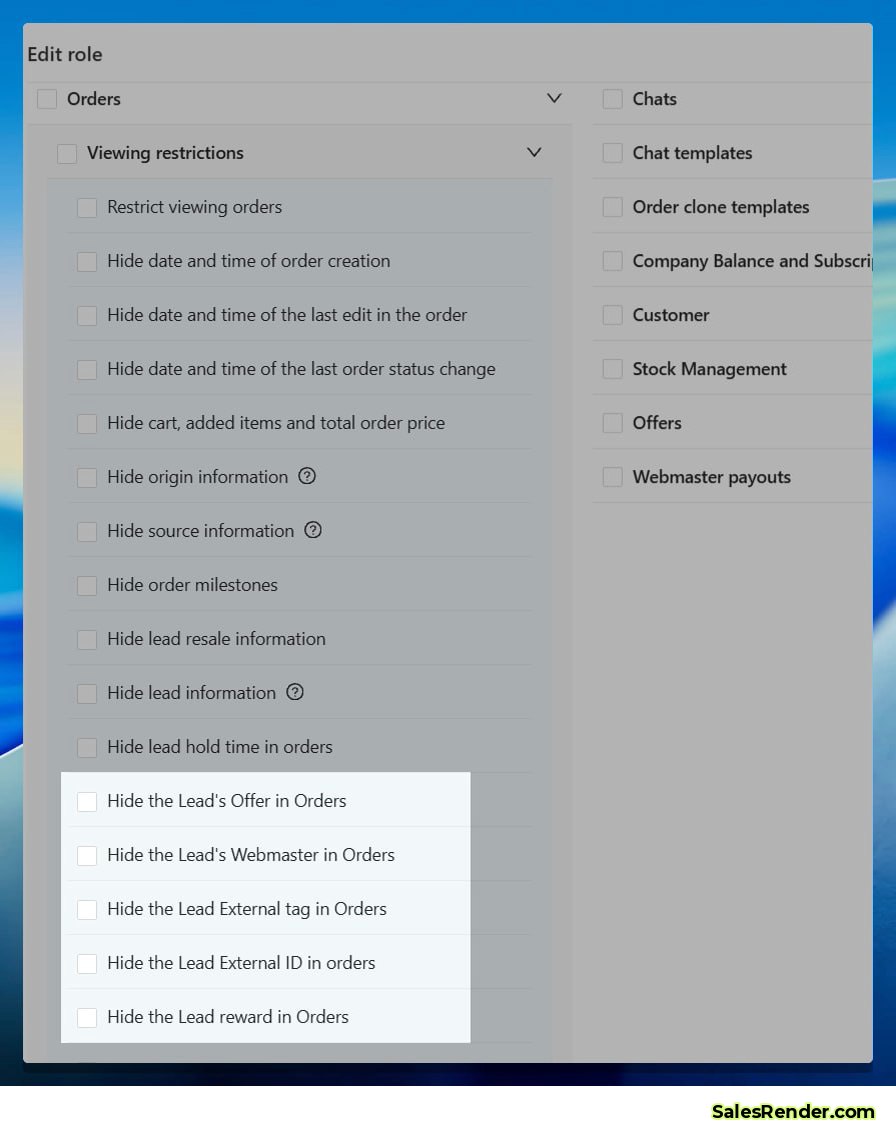
- Restriction on viewing the call history: when enabled, this item completely disappears from the menu.
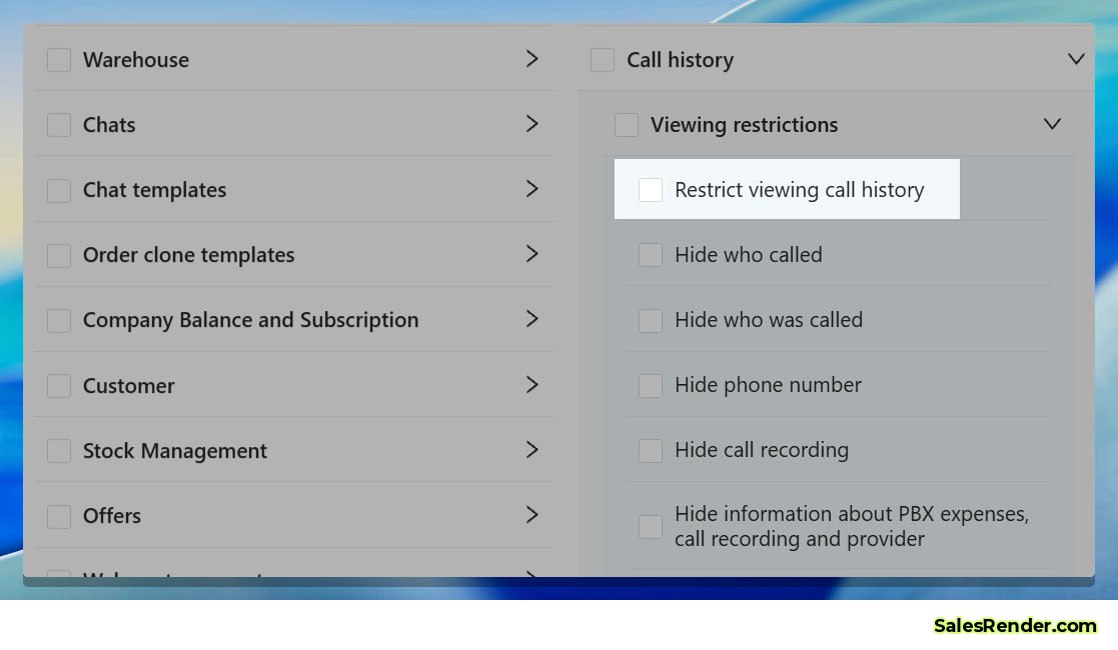
 Find a restrictions
No more scrolling through long lists looking for the right checkbox. Start typing the name and the system will filter the matching options. For example, you can quickly find the new restrictions to enable them for the required roles.
 Compact form
We’ve rebuilt the role creation and editing form, making the interface neater and more user-friendly.
 A brief look at how this release will help your business
- For call centers and sales teams: speeds up dialing and lead processing by automatically taking over idle cards after 30 seconds, and protects orders from accidental overwriting in duplicate tabs.
- For e-commerce businesses and CPA projects: protects partner setups and finances — users see the offer they need for their work, while webmasters, bids, and call history remain hidden.
- We think through every detail and pay attention to even minor nuances that collectively give you advantages over your competitors.
We regularly add new functionality — relying on your ideas and inventing features ourselves that will help you in your work. Yours, SalesRender — a CRM system for product-based businesses, CPA networks, and call centers 
Subscribe to our Telegram channel to stay up to date.
Have questions? Contact our CEO Anna directly.
Thank you for being with us 

